
Deusbot licenses are yearly subscriptions. Our credit system allows you to upgrade to a higher license tier at any time without losing the unused value of your previous purchases.
The unused part of each payment is calculated automatically and deducted from the price of a license upgrade. If a coupon code was used for your first payment, its remaining discount percentage is also preserved and applied to the price of an eligible upgrade.
This guide explains what your available credit represents, how it changes over time, where to review it, and how it is applied during an upgrade.
Why upgrade your license?
Every license provides the same access to Deusbot and its services. The selected tier only determines the maximum base position sizes you can configure in the Expert Advisor.
If you allocate more capital to Deusbot or decide to configure larger base position sizes, you may approach the maximum values available with your current tier. Upgrading to a higher tier increases the maximum base position sizes you can configure in the Expert Advisor.
What credit represents
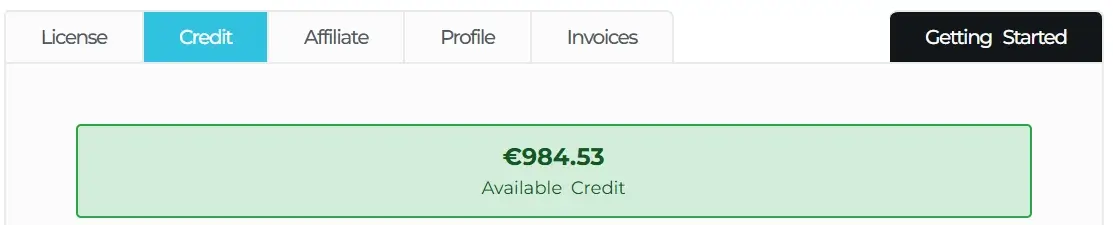
Credit is not money and cannot be withdrawn or transferred. It is an automatic discount reserved for license upgrades. The unused value of your paid licenses is displayed as Available Credit in the Credit tab of your membership account. It is linked to your Deusbot account and recalculated based on the time remaining on each purchase.
In simple terms
- The amount recorded as paid for a license is the starting value.
- Only the proportion corresponding to the unused subscription time remains available.
- The remaining values from all eligible paid orders are combined into your Available Credit.
- The amount decreases as time passes and reaches zero at the end of its original subscription period.
How the credit is calculated
Each payment creates credit based on the time remaining on that license. As time passes, the available credit decreases.
After an upgrade, the new amount paid becomes another credit source. Your Credit tab may therefore list several orders, with each one contributing its own remaining value to the total.
Simple example
Imagine that you paid €400 for a yearly license and that 75% of its subscription period remains. This order contributes approximately €300 of Available Credit.
If you then upgrade to a tier priced at €990, the calculation before any other applicable adjustment is: €990 – €300 = €690 to pay.
How a coupon is preserved
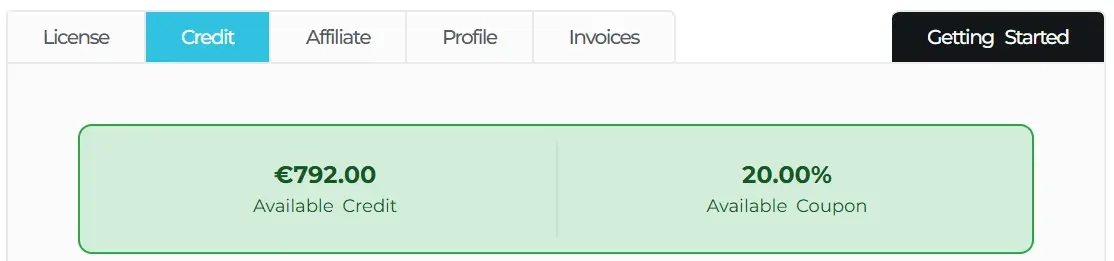
If you used a coupon for your first payment, its discount percentage is preserved alongside your credit and gradually decreases during the first year. The remaining percentage is displayed as Available Coupon in the Credit tab of your membership account.
Simple example
Imagine that you used a coupon code providing 20.00% off your current license. After approximately six months, you decide to upgrade your license so that you can configure larger base position sizes in the Expert Advisor.
Your Available Coupon will then apply a 10.00% discount to the price of the upgraded license. This coupon discount is applied first, followed by your Available Credit.
Where to view your credit
Open the Credit tab in your membership account. The amounts shown there are calculated for the account currently signed in.
Information available in the Credit tab
- Your current total Available Credit.
- Your Available Coupon percentage, when applicable.
- A total breakdown covering every eligible paid order.
- The payment date and amount recorded for each order.
- The remaining days, remaining percentage, and current credit contributed by each order.
What happens when you upgrade
You do not need to convert the credit manually or enter a credit code. The calculation is performed automatically when you open an eligible checkout while signed in to the account that made the original purchases.
- Open the pricing page while signed in.
- Select a paid license tier above your current tier.
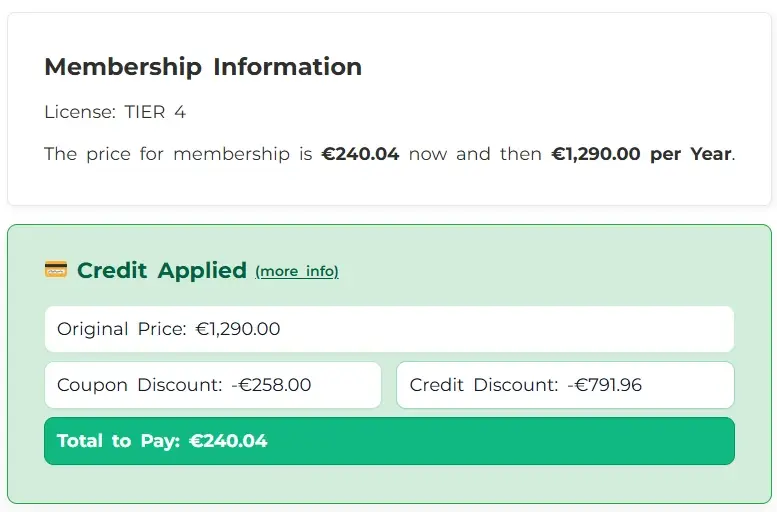
- At checkout, review the original price, the coupon discount when applicable, the credit discount, and the final amount to pay.
- Complete checkout to activate the higher license tier.
When credit is not applied
Credit can be applied when
- You are signed in to the account that made the eligible payments.
- A successful paid license order still has unused time.
- You select an eligible higher paid license tier.
Credit is not generated or applied for
- Free trials or orders with no amount paid.
- Purchasing the same tier again.
- Moving to a lower-priced tier.
- Withdrawals, transfers, or cash refunds.